 Random










Calm Colors
 Yopi Games Releases
 Puzzle
 Casual
What is Calm Colors?
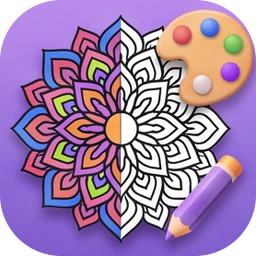
Play Calm Colors unblocked online free and watch a black and white drawing turn into a full painting, one numbered space at a time. Each picture starts as fine ink lines on paper. Pick a color, tap the spaces with its number, and the real painted detail shows up underneath: soft shading, little brush strokes, light on the water. There's a lakeside cabin, a fox in the snow, a rainy reading nook, koi under lotus leaves and 17 more, sorted into Nature, Animals, Cozy, Zen, Places and Mandala. It's color by number for adults in the way the drawings are made, with 256 to 444 spaces and 21 to 28 colors per picture, but there's no timer and nothing to lose, so kids can play too. If you like coloring games but want more detail than a flat cartoon, this one's for you. Soft, slow music with gentle bells plays while you work, and you can switch it off. Your progress is saved, so a picture can wait until tomorrow. Play Calm Colors online free in your browser, nothing to install. Searching for Calm Colors unlocked? It's the same full game, free to play right here. Find more like this in our Puzzle Games.
How to play Calm Colors
- Pick a picture from the menu. Swipe or use the arrows to look through all 21.
- Tap a color at the bottom. Every space with that number is waiting for it.
- Tap a space with the matching number to fill it. The painted picture appears in that spot.
- Pinch or scroll to zoom in on tiny spaces, and drag to move around.
- Lost one? Tap the magnifier and the view glides to an empty space of your color.
- Fill every space to finish the picture and see the whole painting.
Controls
- Tap a colorPick it from the palette at the bottom
- Tap a spaceFill it if it shows your color's number
- Pinch or mouse wheelZoom in on the small spaces
- DragMove around the picture
- Magnifier buttonJump to a space you haven't filled yet
Tips and tricks
- Start with the big spaces of each color, then zoom in for the small ones.
- The ring around each color in the palette shows how much of it is left. A check mark means that color is done.
- Use the magnifier near the end of a color. It always takes you to the smallest space you missed.
- Leave a picture anytime. The menu shows your percentage and you pick up right where you stopped.
Features
- 21 detailed hand-drawn pictures in 6 themes
- 21 to 28 colors and up to 444 spaces per picture
- The real painting fills in as you color, not flat blocks of color
- Calm generated music you can turn off
- Zoom, drag and a find button for the tiny spaces
- No timer, no lives, progress saved in your browser
Similar games
Liked Calm Colors? These play in a similar way:
More like this: Puzzle Games →
Calm Colors FAQ
Is Calm Colors free?+
Yes. Calm Colors is a free color by number game with all 21 pictures open to play in your browser.
Is Calm Colors unblocked?+
Calm Colors unblocked runs in a normal browser tab with no download. Whether it opens at school or work depends on that network's filters.
Do I need an app to play?+
No. Calm Colors is a color by number online game, so it runs right on this page on a phone, tablet or computer.
Is it good for adults?+
That's who the pictures were drawn for: lots of small spaces and fine detail. Younger players can still enjoy the bigger pictures since there's no time limit.
Will my picture be saved?+
Yes. Every space you fill is saved in your browser, so you can close the game and continue later.
Is this a relaxing game?+
It's made to be. No timer, no score to chase, soft music and a slow reveal of the painting as you go.
- Developer
- Yopi Games
- Released
- November 21, 2026
- Platform
- Browser (desktop & mobile)
 More games you'll like